The stack dot command
stack dot [--[no-]external] [--[no-]include-base] [--depth DEPTH]
          [--prune PACKAGES] [--reach PACKAGES] [TARGET]
          [--flag PACKAGE:[-]FLAG] [--test] [--bench] [--global-hints]
A package and its dependencies and the direct dependency relationships between
them form a directed graph. Graphviz is open source
software that visualises graphs. It provides the DOT language for defining
graphs and the dot executable for drawing directed graphs. Graphviz is
available to download for Linux, Windows,
macOS and FreeBSD.
stack dot produces output, to the standard output stream, in the DOT language
to represent the relationships between your packages and their dependencies.
By default:
- external dependencies are excluded from the output. Pass the flag
--externalto include external dependencies; - the
basepackage and its dependencies are included in the output. Pass the flag--no-include-baseto excludebaseand its dependencies; - there is no limit to the depth of the resolution of dependencies. Pass the
--depth <depth>option to limit the depth; - all relevant packages are included in the output. Pass the
--prune <packages>option to exclude the specified packages (including project packages). Pass the--reach <packages>option to exclude packages (including project packages) that cannot reach any of the specified packages in the dependency graph. In both cases,<packages>is a list of package names separated by commas; - for all relevant project packages, relevant dependencies are included in the
output. However, each project package for which dependencies are included
can be specified as a target argument. The argument uses the same format as
the
stack buildcommand but components of project packages are ignored. Non-project packages are also ignored; - Cabal flags are as specified by the package description files and the
project-level configuration file (
stack.yaml, by default). Pass the option--flag <package_name>:<flag_name>or--flag <package_name>:-<flag_name>to set or unset a Cabal flag. This option can be specified multiple times; - test components of project packages are excluded from the output. Pass the
flag
--testto include test components; - benchmark components of project packages are excluded from the output. Pass
the flag
--benchto include benchmark components; and - global packages for the specified version of GHC are those specified by the
global package database of an installed GHC. Pass the flag
--global-hintsto use a hint file for global packages. If a hint file is used, GHC does not need to be installed.
All GHC wired-in packages are identified by a rectangular box.
Nodes with no dependencies in the graph are given the maximum rank in the DOT
language (that is, the dot executable will place those nodes on the bottom row
of the diagram).
Examples
The following examples are based on the package
wreq-0.5.4.3 and the boot
packages of GHC 9.10.3. In each case, the output from stack dot is piped as an
input into Graphviz's dot or twopi executables, and the executable produces
output in the form of a SVG file named wreq-example*.svg.
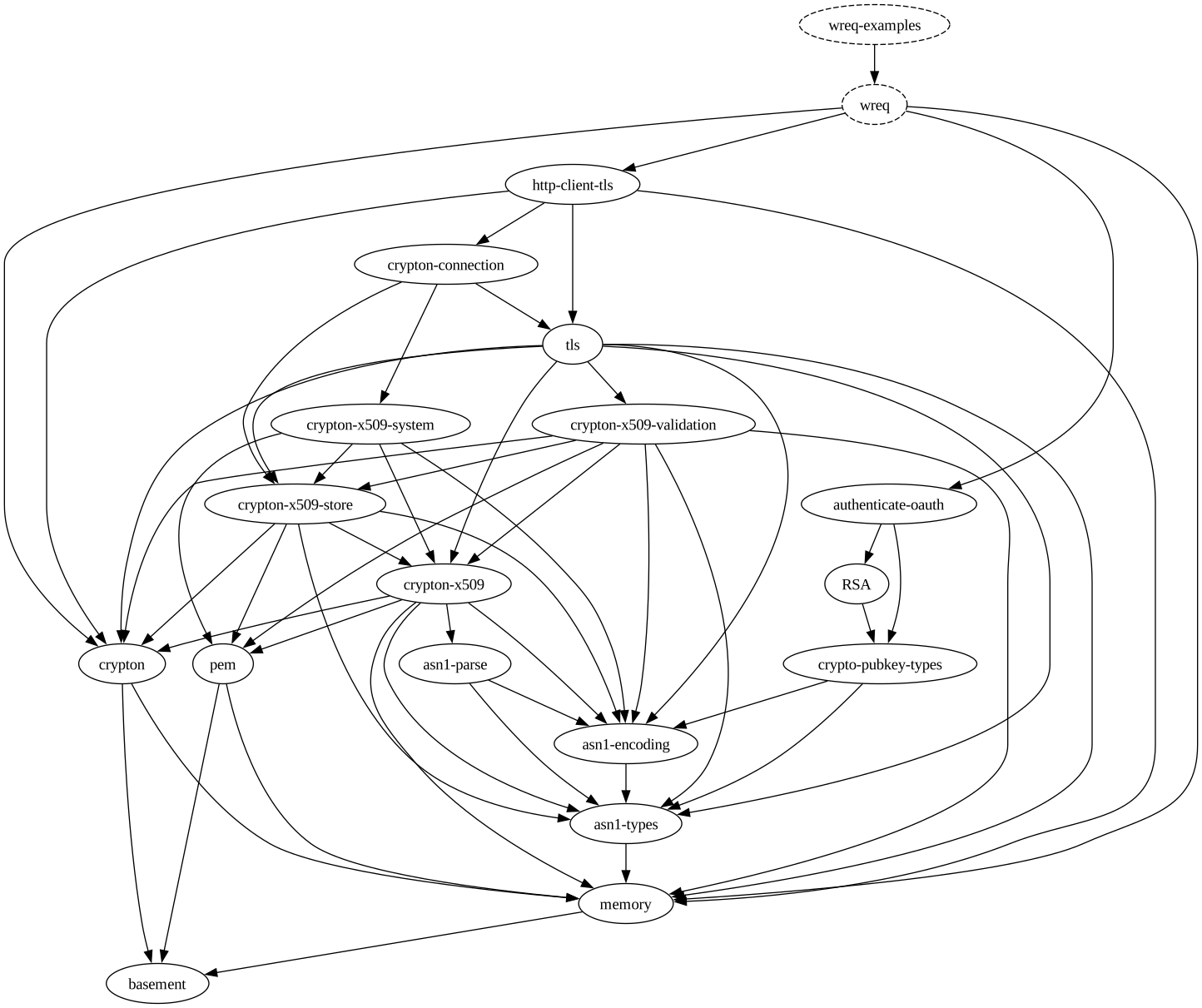
-
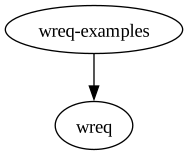
A simple example:
-
Include external dependencies:

-
Include external dependencies, limit the depth and save the output from
stack dotas an intermediate file (wreq-example3.dot). -
Include external dependencies, exclude
baseand limit the depth:
-
Include external dependencies and prune
baseand other packages:stack dot --external --prune base,lens,wreq-examples,http-client,aeson,tls,http-client-tls,exceptions | dot -Tsvg -o wreq-example5.svg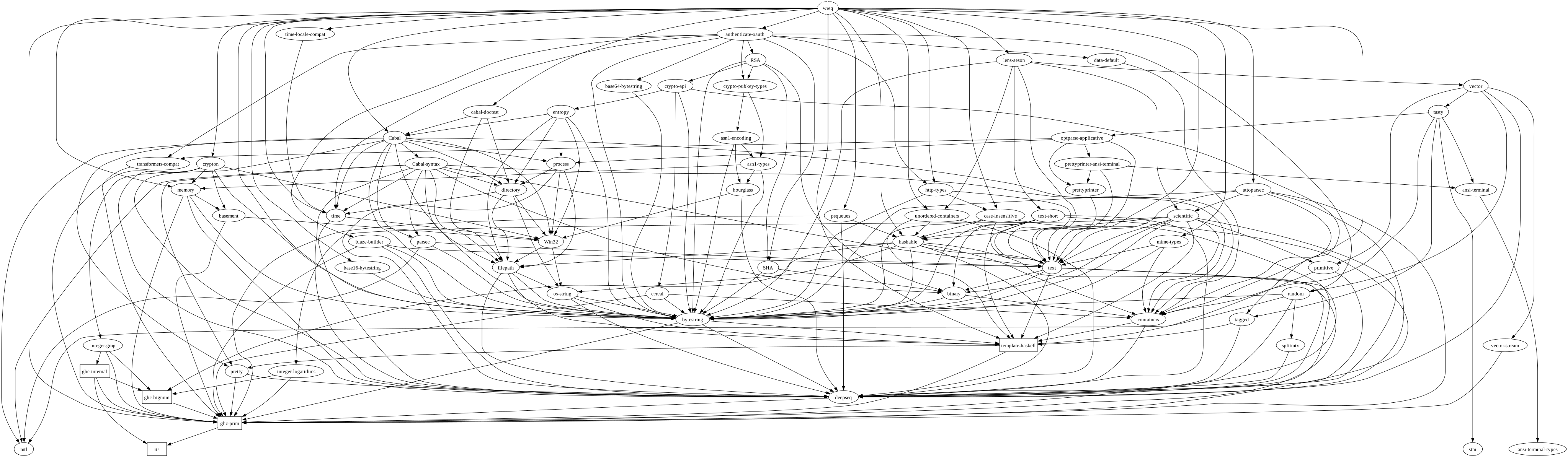
-
Include external dependencies, prune
baseand other packages, and use a different Graphviz executable to draw the graph:Graphviz's
twopiexecutable draws graphs in a radial layout.stack dot --external --prune base,lens,wreq-examples,http-client,aeson,tls,http-client-tls,exceptions | twopi -Groot=wreq -Goverlap=false -Tsvg -o wreq-example6.svg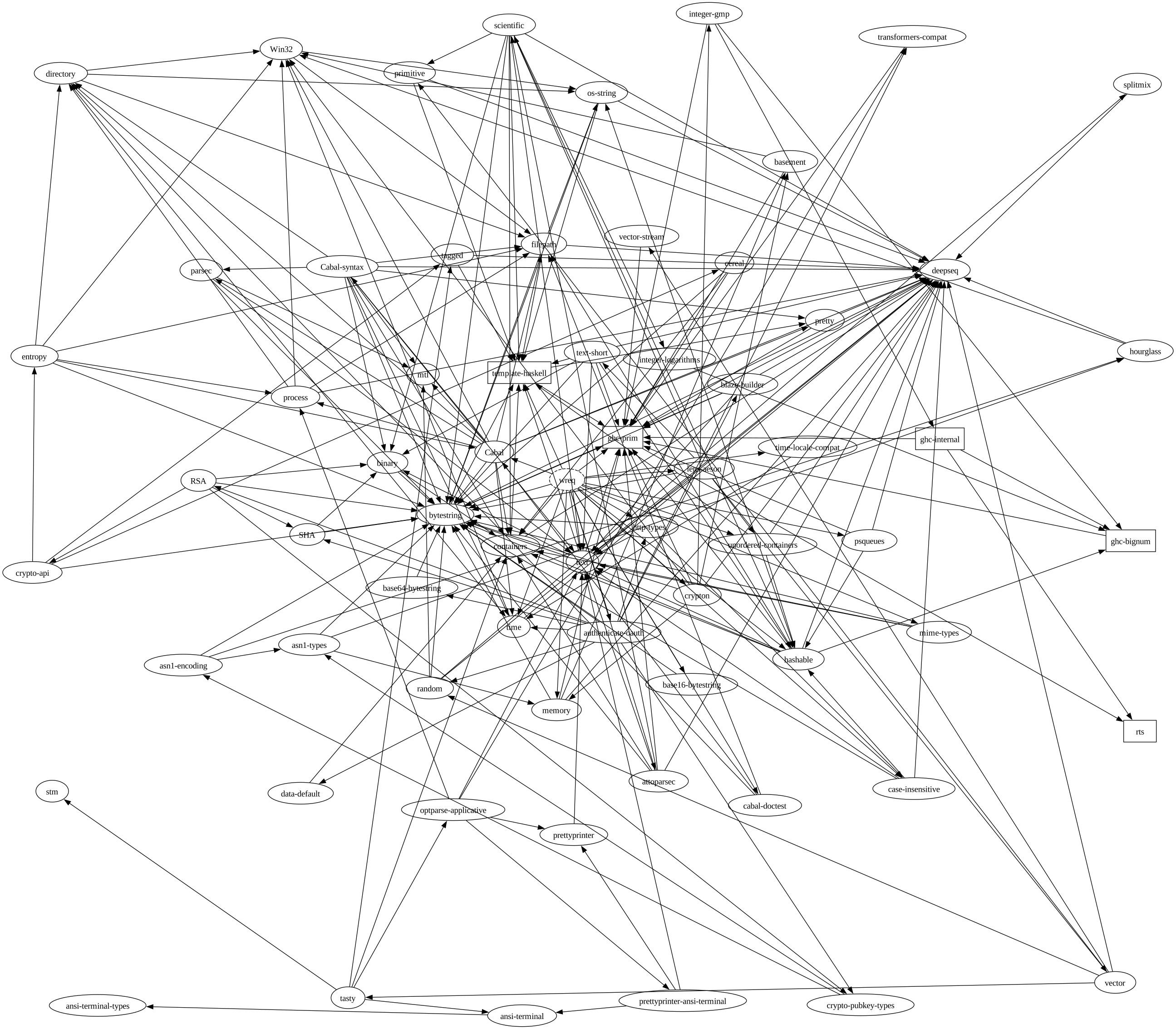
-
Include external dependencies and prune packages that cannot reach any of
memoryandbasementin the dependency graph: